
Magic UI: The Ultimate Tool to Build High-Performance, Animated Websites
In the rapidly evolving world of front-end development, the line between “designer” and “developer” is blurring. Enter the era of the Design Engineer—a professional who balances aesthetic precision with functional code. Magic UI has emerged as a cornerstone tool for this new breed of creator. Whether you are building a high-converting landing page, a sleek portfolio, or a dynamic SaaS application, Magic UI provides the building blocks necessary to craft visually stunning, motion-rich digital experiences without the burden of building every element from scratch.
Magic UI has rapidly become an essential toolkit for modern design engineers, bridging the gap between sophisticated aesthetics and high-performance front-end development by providing a curated collection of pre-built, motion-rich components. Built on the robust synergy of React, Tailwind CSS, and Framer Motion, this open-source library allows developers to implement complex, eye-catching interactions—such as shimmer effects, fluid text animations, and interactive backgrounds—with minimal effort. Its “copy-and-paste” architecture ensures that developers maintain complete ownership of their codebase, avoiding the bloat and dependency constraints often associated with traditional, heavy UI libraries. By prioritizing the “marketing layer” of web development, Magic UI enables teams to create high-converting, professional-grade digital experiences that stand out in a crowded digital landscape. Furthermore, the library’s commitment to responsive design and semantic HTML ensures that these visually impressive elements remain accessible and performant across all devices. As the development landscape moves toward 2026, Magic UI’s seamless integration with AI-assisted IDEs positions it as a future-proof foundation for any project, perfectly balancing developer productivity with the need for captivating, high-fidelity user interfaces. Whether you are building a landing page or a complex SaaS application, Magic UI provides the technical leverage and creative freedom to turn static designs into truly engaging, living digital products.
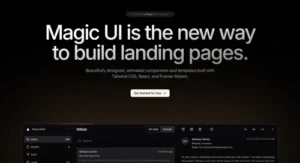
What is Magic UI?
At its core, Magic UI is an open-source library of pre-built, highly polished UI components designed specifically for the React ecosystem. Unlike traditional component libraries that focus purely on utility or form, Magic UI prioritizes motion and visual delight.
It is built using a powerhouse stack—React, TypeScript, Tailwind CSS, and Framer Motion—ensuring that every component is performant, type-safe, and infinitely customizable. The library follows a “copy-and-paste” philosophy, similar to the popular , which gives developers full ownership of the code. By eliminating heavy external dependencies, Magic UI ensures that your project remains lightweight while benefiting from sophisticated, professional-grade animations.
Why Design Engineers Choose Magic UI
The contemporary web requires more than mere static content; it necessitates interactivity. Individuals are drawn to websites that exhibit a sense of vitality, responsiveness, and a tactile quality. Magic UI empowers developers to implement complex interactions—such as shimmer effects, animated text, and dynamic background grids—with minimal effort.
1. Accelerated Workflow: Stop wasting hours on CSS keyframes. Magic UI allows you to drop in production-ready components that are already optimized.
2. Design Consistency: Maintain a high standard of visual quality across your entire application.
3. Total Ownership: Because you copy the code into your own codebase, you have complete control over styling and logic without being locked into a third-party package.
4. Framer Motion Integration: The library leverages the industry standard for web animation, making complex transitions feel fluid and natural.
Key Features of the Library
Magic UI isn’t just a collection of buttons; it is a curated toolkit for modern marketing and interface design. Some of its most popular features include:
1. Animated Components: From “Ripple Buttons” that react to user clicks to “Blur Fade” text effects, the library is packed with micro-interactions that elevate a user’s perception of quality.
2. Visual Background Effects: Create depth with interactive grid backgrounds, noise textures, and light beams that make your landing pages stand out.
3. Template Support: For those who need to ship fast, Magic UI offers pre-built landing page templates that are fully responsive and optimized for high conversion rates.
4. AI Integration (MCP): Magic UI now supports the Model Context Protocol (MCP), allowing AI-assisted IDEs like Cursor or Claude to understand and generate Magic UI code directly. This means you can simply prompt your IDE to “add a marquee of logos,” and it will pull the correct, functional code from the library.
Deep Dive: The Technical Architecture of Magic UI
To truly understand why Magic UI has become a favorite among modern developers, we must look under the hood. While many libraries rely on heavy CSS-in-JS solutions that can impact performance, Magic UI embraces the “Bring Your Own Component” philosophy. Because you copy the source code directly into your local folder, you aren’t just using an API; you are owning the logic.
1. The Power of Framer Motion
The secret sauce behind the fluidity of Magic UI is Framer Motion. By abstracting complex spring-physics animations into simple, readable React props, Magic UI allows developers to add sophisticated entrances, exits, and hover states that would otherwise require hundreds of lines of manual CSS.
For example, the “Animated List” component uses motion variants to orchestrate the staggered appearance of elements, creating a sense of hierarchy and focus. Because the library is built on top of this robust engine, animations are hardware-accelerated, ensuring that your high-fidelity site maintains a smooth 60 frames per second (FPS) even on lower-end mobile devices.
2. Tailwind CSS: The Language of Design
Magic UI is written with Tailwind CSS, allowing for unprecedented stylistic flexibility. Unlike traditional libraries that force you to use specific “theme” providers or proprietary CSS variables, Magic UI components are essentially Tailwind utility classes. This means you can change a button’s color, border-radius, or padding using standard CSS utility classes without fighting against the library’s internal overrides.
Responsive Design: Since the components are built with Tailwind’s mobile-first approach, they adapt seamlessly across breakpoints.
Theme Integration: You can plug your existing design system (color palettes, typography) into these components instantly.
3. Accessible, Not Just Flashy
A common critique of “animation-heavy” libraries is that they ignore accessibility. Magic UI addresses this by focusing on semantic HTML structures. By keeping the markup clean and utilizing standard attributes, the library ensures that screen readers and keyboard navigation can still interact with the content effectively. This is crucial for developers who need to balance the “marketing wow-factor” with strict WCAG compliance requirements.
Conclusion :-
Magic UI represents a significant shift in how we build for the web. By providing accessible, high-quality, and animated components, it removes the technical barriers to entry for creating premium digital experiences. For the modern developer, it is not just a tool; it is a competitive advantage that ensures your software doesn’t just work—it captivates.
10 Key Benefits of Implementing Magic UI
Based on the article above, here are ten primary benefits of integrating Magic UI into your development workflow:
1. Accelerated Development: Dramatically reduce build times by utilizing a library of pre-made, production-ready components instead of writing code from scratch.
2. Professional-Grade Motion: Easily implement sophisticated, high-performance animations powered by Framer Motion without deep knowledge of complex CSS keyframes.
3. Complete Code Ownership: Leverage the “copy-and-paste” model to gain full control over the component source code within your own codebase, eliminating third-party dependency locks.
4. Tailwind CSS Native: Benefit from the flexibility of Tailwind utility classes, allowing for seamless integration with your existing design system and rapid styling adjustments.
5. Lightweight Performance: Maintain fast load times and high frame rates by only importing the specific code you need, avoiding the bundle bloat associated with massive UI libraries.
6. Enhanced Visual Engagement: Elevate your website’s aesthetic through “Marketing Layer” components like shimmer effects, interactive grids, and animated text that capture user attention.
7. AI-Driven Productivity: Optimize your development process by utilizing the library’s compatibility with AI-assisted IDEs, allowing for rapid generation and implementation of UI components.
8. Responsive-First Design: Ensure your interfaces are inherently responsive across all device sizes thanks to Magic UI’s adherence to mobile-first Tailwind principles.
9. Visual Consistency: Maintain a unified look and feel across your entire application by using a standardized set of high-quality interface elements.
10. Focus on User Experience: Balance flashiness with accessibility by utilizing clean, semantic HTML, ensuring your site remains usable for all visitors while still providing a premium “wow factor.”
Short Description :-
Magic UI has rapidly become an essential toolkit for modern design engineers, bridging the gap between sophisticated aesthetics and high-performance front-end development. Built on the powerful combination of React, Tailwind CSS, and Framer Motion, this open-source library offers a curated collection of pre-built, motion-rich components designed to elevate the user experience.
The library’s “copy-and-paste” architecture grants developers full ownership of their codebase, allowing for seamless integration and customization without the bloat of traditional, heavy NPM packages. By focusing on the “marketing layer” of web development—interactive backgrounds, shimmer effects, and fluid animations—Magic UI empowers creators to implement complex interactions with minimal effort.
Beyond its visual appeal, Magic UI is inherently responsive and performance-optimized, ensuring that high-fidelity designs remain smooth across all devices. With emerging support for AI-driven development tools, Magic UI is uniquely positioned at the forefront of modern web creation. Whether you are building a high-converting landing page or a dynamic SaaS interface, this toolkit provides the perfect balance of professional-grade animation and developer-friendly flexibility. It is an indispensable resource for anyone looking to transition from static web pages to captivating, interactive digital experiences in the rapidly evolving landscape of 2026.
Meta Description :-
Magic UI Boost your web development workflow with Magic UI. Discover how this open-source React library uses Framer Motion and Tailwind CSS to create stunning, interactive, and high-performance UI components for modern digital experiences Magic UI .